
Introduction
Did you know nearly 75% of businesses experience payroll errors caused by missed or inaccurate time punches?
It is a staggering number. Yet, the impact of simple forgetfulness or morning rushes is often overlooked. Missed punches are not a new phenomenon; whether a company uses web-based software, mobile apps, or modern biometric scanners, errors still occur.
Left unaddressed, these errors create payroll disputes, compliance risks, and eroded employee trust. Let's dive into the significance behind "miss punches" and how to stop them.
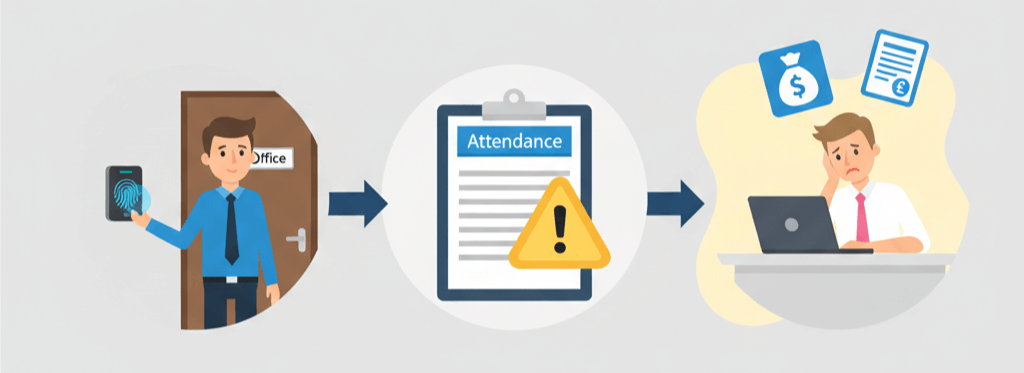
Sometimes, the culprit is as complex as a lack of integration between door access and attendance systems.
Miss Punch Meaning
Definition: A "miss punch" (or missed punch) is an incomplete attendance record where an employee fails to clock in or out in the company's tracking system.
This is common in modern organizations using workforce analytics software. Employees must manually click a "clock-in" button upon arriving at their desk, but often, they simply forget. When a punch is missed, it usually requires a manual "Attendance Correction Request." If a manager fails to approve this request before the payroll cutoff date, the system's logic defaults the day to "Absent."
This triggers an automatic Loss of Pay (LOP) deduction for the employee, affecting their salary even if they worked a full shift. Similarly, frequent missed punches corrupt workforce data. When attendance relies on after-the-fact 'regularization' rather than real-time capture, the company loses visibility into actual working hours. This creates a 'blind spot' where the management cannot accurately calculate overtime costs or productivity metrics because the raw data is filled with manual edits.
Read More: How Biometrics Improve Workplace Safety?
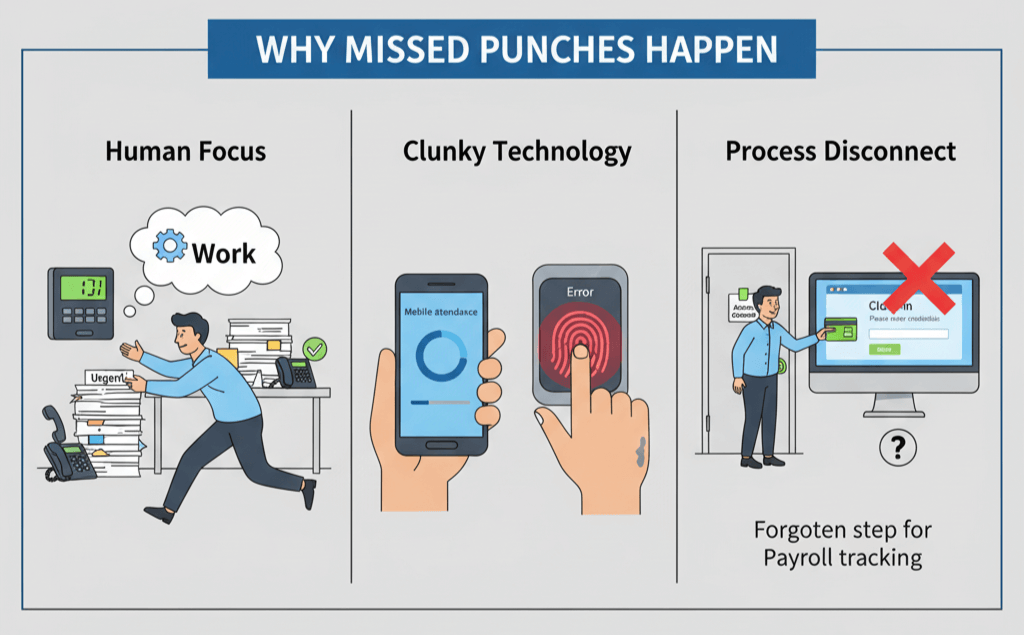
Morning Rush, Bad UI/UX, and Multiple Platform Overload are top reasons behind miss punches today.
Why do Miss Punches still happen?
Even with advanced technology, three main factors keep missed punches alive:
Human Focus (The "Morning Rush")
The primary reason is simply human focus. When employees arrive at work, they often dive straight into urgent emails, client calls, or morning meetings. In the rush, the administrative task of "clocking in" gets pushed aside. By the time the urgency fades, they have forgotten to log their time.
Clunky Technology
If an attendance app is slow, hard to find, or asks for too many passwords, employees will naturally avoid it. The same applies to physical hardware; fingerprint scanners often fail if hands are wet or the sensor is dirty. When the process is frustrating, employees skip it, telling themselves they will "fix it later" but they rarely do.
The Process Disconnect
There is often a disconnect between entering the building and starting the shift. In many offices, employees swipe a card to unlock the main door, proving they are present. However, they must still log into separate software to "clock in" for payroll. This creates confusion. Because the door system and the attendance system don't talk to each other, this extra step leads to constant errors.
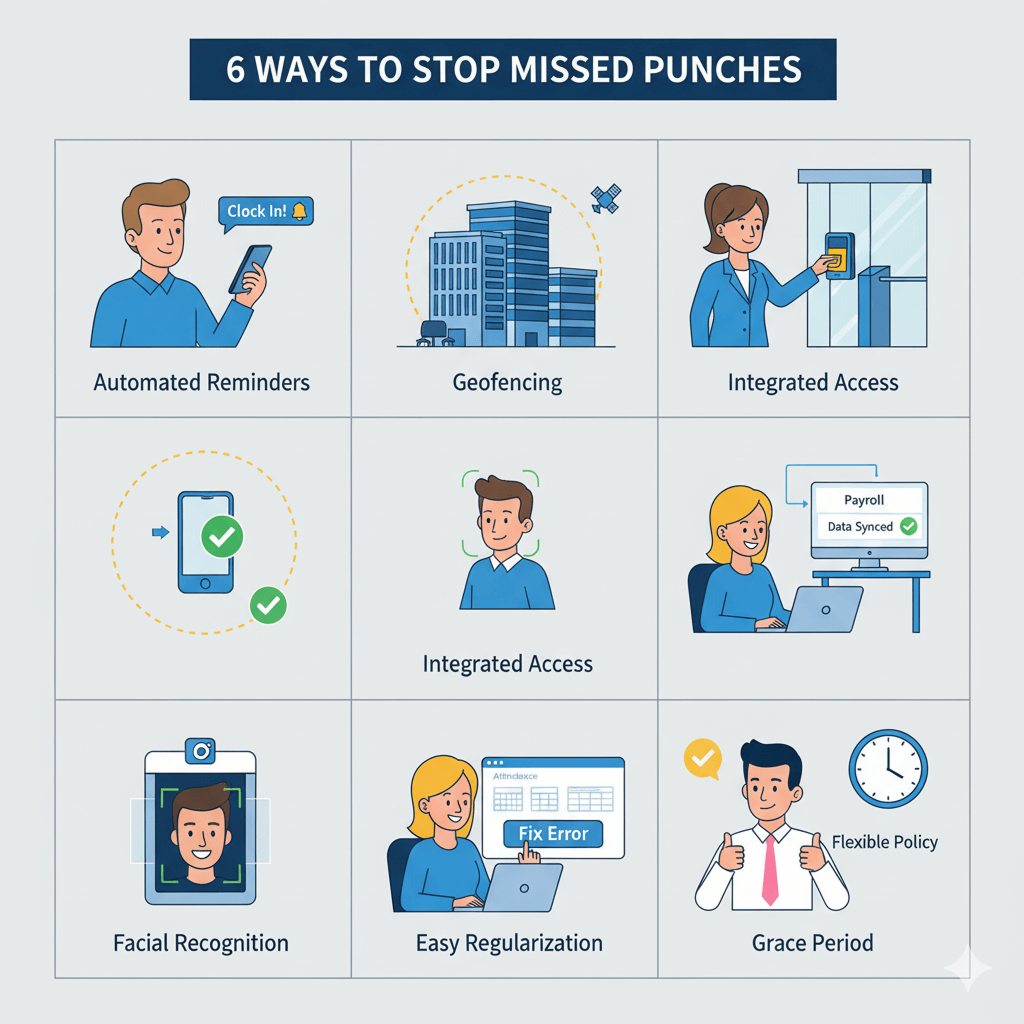
Make clocking in a natural part of the morning routine so it's hard to forget.
How to Stop Miss Punches (Best Practices)
Eliminating human error is impossible, but you can build a system that supports your team.
Implement Automated Reminders and Alerts
Since forgetfulness is the #1 cause of missed punches, technology should act as the employee's memory. Modern attendance software can send automated push notifications if an employee hasn't clocked in by a certain time (e.g., 9:15 AM). Advanced systems integrate with Slack, Microsoft Teams, or WhatsApp, giving employees a "nudge" right where they are already working.
Switch to Geofencing and Mobile Punching
Friction is the enemy of compliance. Geofencing uses GPS technology to create a virtual perimeter around your office. As soon as the employee enters the building, their mobile app prompts them to clock in with a single tap. Some systems can even auto-clock users in (with permission), treating attendance as a seamless background activity.
Integrate Door Access with Attendance Systems
The most effective hardware solution is to integrate your Access Control System with your Time & Attendance software. In this setup, swiping a key card to open the door acts as the "clock-in" timestamp. This "Single Swipe" approach eliminates redundancy and creates a unified record of when the employee physically entered the workspace.
Deploy Facial Recognition Biometrics
Old-fashioned fingerprint scanners fail due to wet hands or dirt. Modern facial recognition terminals are touchless and recognize an employee in milliseconds. Placed at high-traffic entrances, these devices capture attendance on the go, creating a frictionless experience that doesn't slow down the morning rush.
Read More: How Does Biometric Attendance and Time Clock Improve Efficiency?
Simplify the "Regularization" Process
When mistakes happen, fixing them shouldn't be hard. If an employee has to fill out a paper form to fix a missed punch, they will procrastinate. The best practice is to offer a "Self-Service" portal. By empowering employees to view and fix their own errors with one click, you reduce administrative bottlenecks and ensure clean data before payroll processing.
Establish a Clear "Grace Period" Policy
Sometimes, fear causes the error. If an employee is running two minutes late, they might rush to their desk to work, skipping the clock-in to avoid being marked "late." Implementing a small grace period (e.g., 10 to 15 minutes) encourages employees to log in properly without fear of immediate penalty.
Requesting Attendance Correction in MINOP
To correct data from a series of missed punches, employees shouldn't have to chase HR. Using cloud-based workplace analytics software simplifies this.
Here is an example of how Minop allows employees to fix attendance issues directly through a self-service portal, requiring only a quick approval from a manager.
step
Locate the Exception
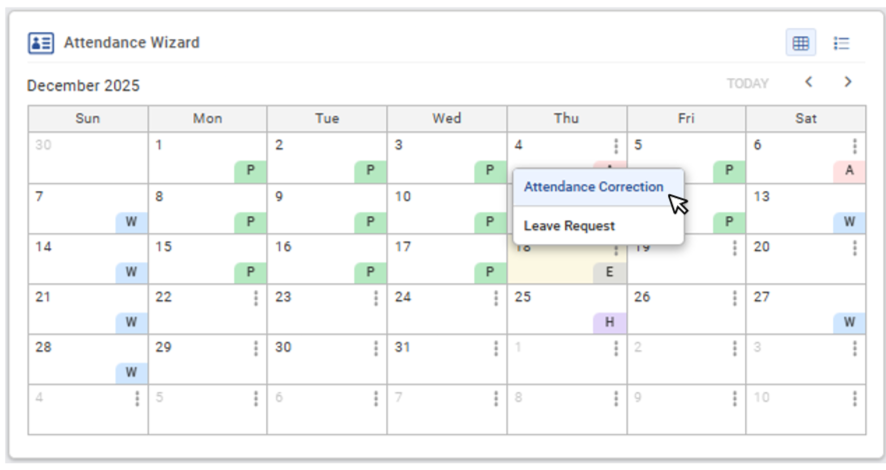
Minop's Attendance Wizard for Leave Request and Attendance Correction.
Navigate to the Attendance Wizard to view the monthly calendar. The system provides a clear visual snapshot, highlighting irregularities.
Find the specific date with the missed punch.
Click the three-dot menu icon on that date cell.
Select "Attendance Correction" from the dropdown list.
step
Submit Correction
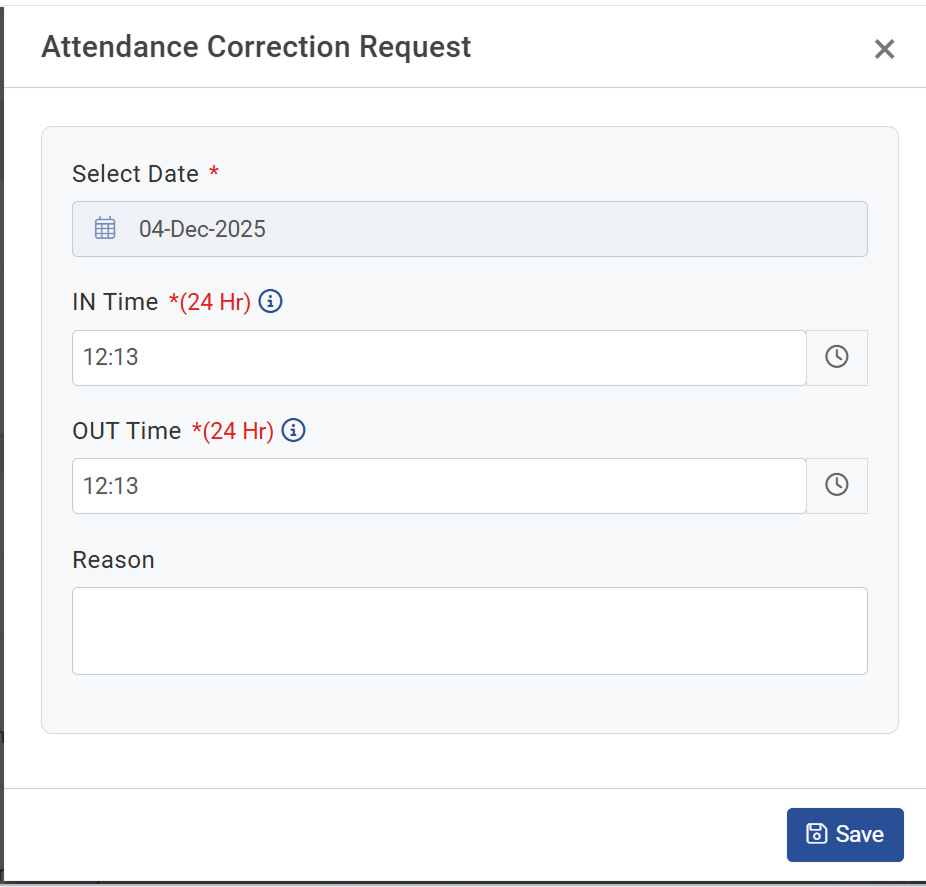
Minop's Attendance Correction Request - A Helpful Alternative for filling Miss Punch Form
Once selected, the Attendance Correction Request pop-up appears. No need to draft a long email explanation; just fill in the essential data:
Input the correct IN Time and OUT Time for that day.
Briefly explain the discrepancy (e.g., "Biometric scanner error" or "Forgot ID card").
Click Save.
The request is automatically routed to the Reporting Manager for approval. The system updates the records instantly, ensuring payroll remains accurate without a single sheet of paper being printed.
Conclusion
At the end of the day, missed punches usually happen because the process is clunky or people are just busy. The solution is simple: make clocking in a natural part of the morning routine so it's hard to forget. And when mistakes do happen, fixing them shouldn't be a headache. By letting employees correct their own records with quick manager approval, you cut out the stress. It keeps payroll accurate, ensures everyone gets paid correctly, and lets HR stop chasing timesheets so they can focus on the work that actually matters.
FAQs
A "miss punch" refers to a situation where an employee fails to record their entry or exit in the company's biometric or digital attendance system. This results in an incomplete log for the workday, which can lead to the system automatically marking the employee as "Absent" or "Half-Day" during payroll processing.
To resolve a missing record, an employee must submit a formal "Attendance Regularization" request. This involves documenting the exact time of arrival or departure that was missed and providing a brief, professional explanation for the discrepancy so HR can update the record.
Missed punches typically occur due to human error, such as forgetting to clock in while rushing to a meeting. Other common reasons include technical glitches with biometric scanners, power outages, or connectivity issues that prevent the system from capturing data.
Attendance correction is best requested through cloud-based attendance software. This allows employees to submit regularization entries directly through a portal or mobile app. This modern system provides managers with real-time updates, enabling instant approvals and ensuring records are corrected before the payroll cycle ends.
Comments