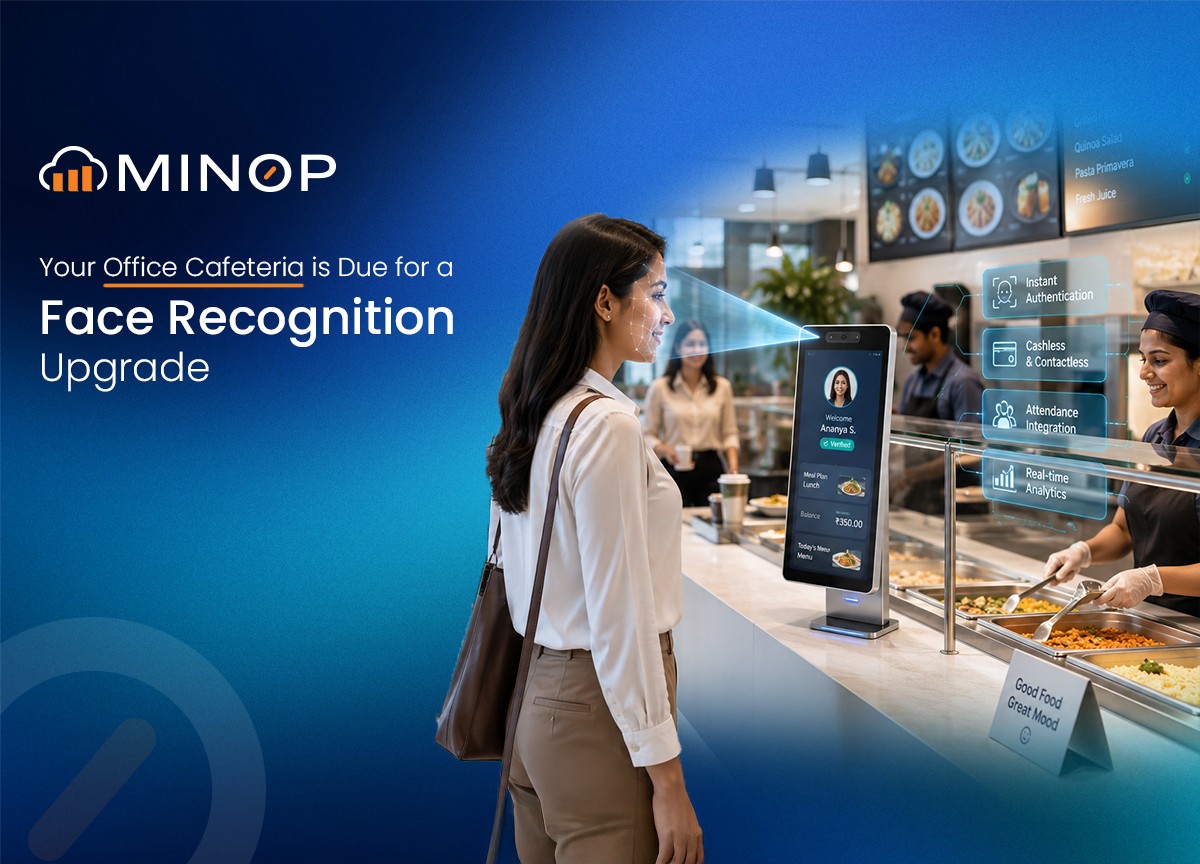
It is 1:00 PM on a Tuesday and you have been staring at spreadsheets all morning, and all you can think about is grabbing a hot plate of food. You walk down to the office cafeteria, but instead of digging through your pockets for cash, you just walk up to a screen on the wall.
You look at it. It scans your face. A tiny little receipt pops out of the dispenser. You hand that piece of paper to the person at the food counter, they hand you your lunch, and you go sit down to eat.
No cash, no cards, no phone required at the counter. It feels like you are living in a sci-fi movie.
The face-scanning machine on the wall is actually just the tip of the iceberg. The hardware is cool, sure. But a machine that prints a receipt is useless if it does not know what you ordered, who is paying for it, and whether the kitchen actually has enough food left to feed you.
If you want to upgrade your office canteen to a futuristic, cashless system, you need a cafeteria management software that acts as the brain of the whole operation.
Let's take a deep dive into why this software is the ultimate game-changer for your employees, your kitchen staff, and your HR department.
The Smart Cafeteria Software
A great face-recognition canteen system is powered by software that connects everyone in the building. It gives the employees a beautiful app to order from, it gives the kitchen a clear screen showing what to cook, and it gives the management team total control over the money.
If you want your employees to love the new system, the user interface (or UI) has to be flawless. When an employee logs into the food portal from their computer or their phone, they should not see a clunky, confusing spreadsheet. They should see something that looks as good as a modern food delivery app.
Budget Tracking at a Glance
When an employee opens the portal, the first thing they see at the top of their screen is a beautiful, easy-to-read progress bar. This is their monthly food budget.
It shows exactly how much money they have spent this month.
It shows their remaining balance.
It even shows how much money they have saved because of company discounts!
There is no more guessing, "Did I spend too much on coffee this week?" The software tells them instantly.
Ordering with Ease
Below the budget bar, they can pick which day they want to order for. Let's say they are looking at today's lunch menu. They will see beautiful little cards for each meal.
A great UI makes everything clear instantly:
A nice picture of the meal.
A green dot if it is vegetarian, a red dot if it is non-vegetarian, a teal dot for vegan, and even a special tag if the meal is Jain-friendly.
If the kitchen only made 20 slices of chocolate cake, the screen will literally say "Only 5 left!" to create a sense of urgency.
The employee clicks the "+" button, the meal goes into their digital cart, and they hit "Place Order." The app flashes a friendly success message: "Great! Your order is on its way!"
That is it. They are done. When lunchtime comes, they just go scan their face at the machine and pick up the food they already ordered.
Who is Paying for This?
A lot of great companies want to treat their staff well by paying for a portion of their meals. This is called a subsidy. But managing subsidies is usually a mathematical nightmare.
What if the company pays for 50% of lunch, but only up to a certain price limit?
What if breakfast is fully paid for by the company, but snacks are 100% paid for by the employee?
The new cafeteria software handles all of this invisible math perfectly. Administrators can go into the backend and create custom "Policies."
You can set the system so the company always pays exactly a certain limit towards any lunch order, and the employee pays the rest.
You can set it so the company pays 50% of the cost, but cap it so the company never pays more than let's say 100 rupees per meal.
You can give an employee a strict limit. Once they hit that limit, the software gently warns them and stops them from placing company-paid orders until the 1st of the next month.
The best part? The employee does not have to do any math. When they add a meal to their cart, the screen clearly shows: gross total, company subsidy and their payment.
It is transparent, honest, and incredibly easy to understand.
Setting Boundaries with Meal Slots
The software allows the canteen manager to break the day down into "Meal Slots", like Breakfast, Lunch, Snacks, and Dinner.
But here is the genius part: The Booking Cut-Off Time.
Let us say lunch is served from 12:00 PM to 2:00 PM. The canteen manager can set a rule in the software that says, "All employees must place their lunch orders by 10:00 AM."
If an employee tries to order a hot meal at 10:05 AM, the system will politely tell them that ordering is closed.
Why is this so important? Because at 10:01 AM, the kitchen staff can look at their screen and know exactly how many meals they need to cook. If the screen says 142 people ordered the chicken and 50 people ordered the pasta, they cook exactly that amount.
Real-Time Live Screens
During the actual lunch rush, the canteen manager does not want to be clicking the "refresh" button on their web browser over and over. The software has a special "Orders" page that auto-refreshes every 30 seconds.
It looks like the screen you see at a modern coffee shop. It shows all the pending orders, accepted orders, and orders that have already been served. The manager can click a simple green checkmark to accept an order, or a little cooking pot icon to mark it as served. The interface is clean, color-coded (yellow for pending, green for served), and requires almost zero training to use.
Templates and Weekly Planning
Instead of manually typing out the menu every morning, a manager can create a "Weekly Template."
They can drag and drop meals into a calendar.
Monday: Burgers and Salad.
Tuesday: Tacos and Soup.
Wednesday: Pasta and Garlic Bread.
Once the week is built, they can just click a button that says "Generate Menu," and the software automatically populates the menu for the next 30 days. If the manager is feeling lazy, they can even just hit a "Copy Day" button and copy last Tuesday's menu onto next Tuesday.
The "Always Available" Feature
Some things in an office never change. People always want coffee, tea, plain rice, or simple bread.
Instead of forcing the manager to add "Coffee" to the menu 365 days a year, the software has an "Always Available" section. The manager selects the staples once, and the software automatically makes sure those items show up on the employees' screens every single day, no matter what else is being served.
What About Office Guests?
Imagine your sales team brings in a huge potential client for a meeting that runs into the lunch hour. You want to offer them food, but the client does not have an employee profile, and they certainly are not going to scan their face at the machine!
Also, you definitely do not want your sales guy to pay for the client's lunch out of his own pocket.
The software has a brilliantly simple "Guest Orders" feature. An administrator can log in, select the employee who is hosting the meeting, and type in the guest's name. They browse the exact same visual menu, pick the food, and place the order.
The guest gets a fantastic meal.
The kitchen gets the ticket just like a normal order.
The billing skips the employee's personal subsidy limits and is correctly marked as a 100% company expense.
It saves the employee from embarrassment, treats the guest like a VIP, and keeps the accounting books perfectly clean.
HR's Favorite Feature
We have talked about how much the employees and the kitchen staff will love this system. But if there is one group of people who will want to throw a party for this software, it is the HR and Accounting teams.
In a cashless cafeteria, the employees are paying for their portion of the food through payroll deductions. At the end of the month, the company subtracts the food costs from their paychecks.
Without good software, this means someone is sitting at a desk with a calculator, adding up hundreds of individual meals, trying to figure out who ate what. It is a nightmare that takes days to finish.
With the new software, this entire process takes about five seconds.
The Salary Deduction Report
The HR manager clicks on the "Insights" tab. They select the dates – say, the 1st of the month to the 31st.
Instantly, the screen displays a beautifully organized table. It shows:
The Employee's Name and ID Number
Their Department
The Total Number of Orders they placed
The Gross Amount (Total cost of the food)
The Subsidy Amount (What the company is paying)
The Net Amount (Exactly how much to deduct from their paycheck)
If the HR manager needs to put this into their official payroll software, they just look at the top right of the screen. There is a little icon for a CSV file and an icon for an Excel file. They click one, the file downloads instantly, and it is perfectly formatted.
What used to take three days of mind-numbing data entry now takes one click. That feature alone pays for the software.
The Bottom Line
When you have the right cafeteria management system running in the background, everything clicks into place. Food waste drops to almost zero because the kitchen knows exactly what to cook. Employees feel valued because they can clearly see the company helping pay for their meals. The checkout line moves at lightning speed because nobody is fumbling for cash. And the HR department can finish their monthly payroll deductions before their morning coffee gets cold.
FAQs
Nope! The entire system is completely cashless. When you place an order on your phone or computer, the software calculates your company's discount and tracks exactly what you owe. At the end of the month, that final amount is simply deducted from your paycheck. You never have to pull out your wallet.
It depends on the rules your office sets, but usually, no. To prevent food waste, the kitchen staff will set a "cut-off time" (for example, you might need to order lunch by 10:00 AM). If you miss the cut-off, the ordering window closes so the cooks know exactly how many meals to make.
Yes, as long as the kitchen hasn't started making it yet! If your order is still marked as "Pending" in your app, you can easily hit the cancel button, type a quick reason (like "Going home sick"), and you won't be charged. However, if the kitchen has already accepted and started preparing your food, the order cannot be canceled.
The app makes this super easy to see. Every meal on the digital menu has a little color-coded dot next to it – a green dot for vegetarian, a red dot for non-vegetarian, and a teal dot for vegan. There is even a special tag for Jain-friendly meals so you never have to guess what is in your food.
That is entirely up to your company's rules. Some offices give you an unlimited budget, while others set a strict monthly limit. When you log into the ordering portal, there is a handy progress bar right at the top of your screen. It shows you exactly how much you have spent and how much of your budget you have left, so you are never surprised.
You definitely don't have to scan your client's face! Your office manager or administrator can place a special "Guest Order" for them in the system. The food gets prepared just like a normal order, but the cost goes straight to the company's expense account instead of coming out of your personal food budget.
The software tracks inventory in real-time. If the kitchen only has enough ingredients to make 20 slices of chocolate cake, the manager will put a limit of 20 into the system. When you look at the menu, it will actually tell you how many are left. Once the 20th slice is ordered, the item will automatically say "Sold Out" so nobody is left disappointed at the pickup counter.